


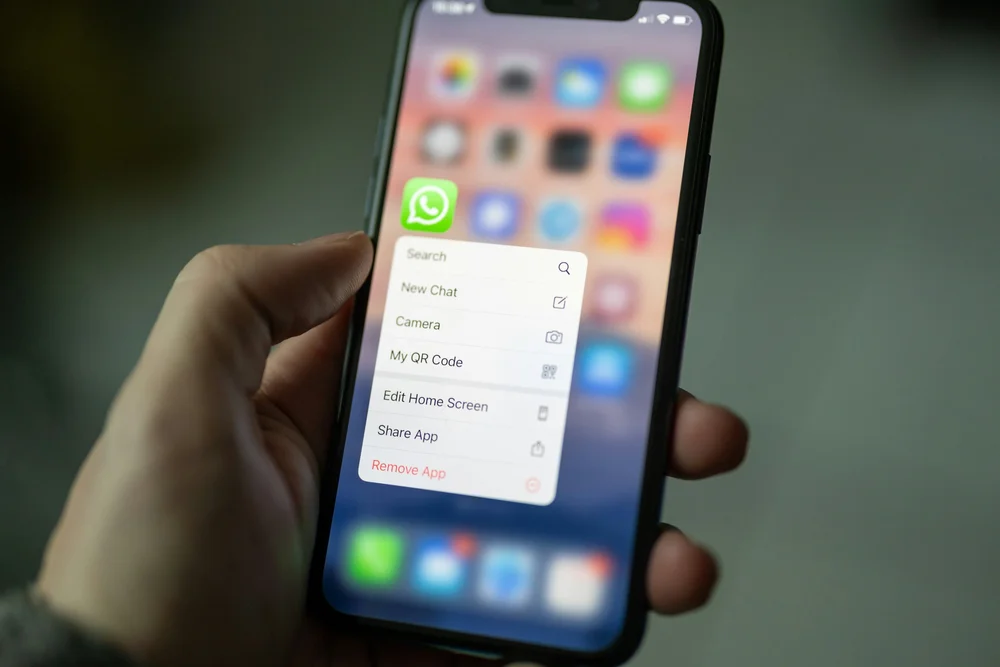
Image: A cell phone sitting on top of a wooden table photo – Free Grey Image on Unsplash
WhatsApp has over two billion users worldwide, and for businesses operating in Latin America, Southeast Asia, the Middle East, and large parts of Europe and Africa, it’s not just a messaging app — it’s the primary channel through which commerce happens. Customers expect to reach you on WhatsApp. They ask product questions, place orders, request support, and leave reviews — all inside a chat window. But here’s the problem most businesses run into: WhatsApp requires a phone number, and if you’re serving customers in Mexico, you need a Mexican phone number — not your personal number from another country.
Virtual phone numbers solve this elegantly. You get a local number in any country, register it with WhatsApp Business, and suddenly you’re reachable to millions of customers on their preferred channel without revealing your personal number or being physically present in that country. In this guide, we’ll cover exactly how to set this up, which number types work, what pitfalls to avoid, and how to run a professional WhatsApp Business operation on a virtual number.
Why WhatsApp Business Matters More Than Ever
Let’s put some context around why this matters so much in 2026. WhatsApp isn’t just big — it’s dominant in specific markets to a degree that’s hard to overstate.
In Brazil, over 95% of smartphone users have WhatsApp. In India, the number is similar. In Mexico, it’s above 90%. In Germany, it’s the most-used messaging app by a wide margin. In Indonesia, Nigeria, Argentina, Spain, and dozens of other countries, WhatsApp is how people communicate — period.
For businesses in these markets, not having a WhatsApp presence is like not having a phone number at all. Customers will look for you on WhatsApp, and if you’re not there, they’ll go to a competitor who is. This is especially true in sectors like e-commerce, hospitality, real estate, local services, and any B2C business where customers expect to interact conversationally.
WhatsApp Business adds features specifically designed for commercial use: business profiles with your address and hours, product catalogs, automated greeting messages, quick replies, labels for organizing conversations, and the WhatsApp Business API for larger operations that need chatbot integration and CRM connectivity.
All of these features require one thing: a phone number. And for maximum effectiveness, that number should be local to the market you’re serving.
Why You Shouldn’t Use Your Personal Number
The simplest approach is to register WhatsApp Business with your existing personal phone number. It works, technically. But it creates several problems that become more painful over time.
First, you lose your personal WhatsApp. WhatsApp only allows one account per phone number. If you register your personal number with WhatsApp Business, your personal WhatsApp account is converted to a business account. Your personal chats are preserved, but everything going forward is through the business interface. For most people, mixing business messages from customers with personal conversations from friends and family is a recipe for chaos.
Second, your personal number is now your business contact. Every customer who messages you now has your personal phone number. They can call you at any hour. If you ever want to stop using WhatsApp Business, you can’t easily separate your personal identity from the business.
Third, if your business is international, your personal number is from the wrong country. A customer in Mexico sees a U.S. number on your WhatsApp Business profile. It immediately signals “foreign company” and reduces trust. A local +52 number, by contrast, looks native and familiar.
A virtual number solves all three problems: your personal WhatsApp stays untouched, your personal number stays private, and your business appears local to whatever market you’re targeting.
Which Virtual Number Types Work with WhatsApp
This is the most critical question, and getting it wrong wastes time and money. Not all virtual numbers are compatible with WhatsApp.
Mobile-Format Numbers: The Best Option
WhatsApp was designed for mobile phones, and it strongly prefers mobile-format numbers. A virtual mobile number (one that matches the mobile numbering format of its country — for example, a +52 1 number for Mexico or a +65 8/9 number for Singapore) has the highest chance of successful registration.
When you register a mobile-format virtual number with WhatsApp, the verification process typically works via SMS: WhatsApp sends a six-digit code to the number, you retrieve it from your virtual number dashboard or email, and enter it. Registration complete.
Landline-Format Numbers: Possible but Trickier
WhatsApp does support landline numbers, but the verification process is different. Since landlines can’t receive SMS, WhatsApp offers a voice call verification option: an automated call reads the verification code aloud. If your virtual landline number supports incoming voice calls (most do), this works.
The catch is that landline numbers on WhatsApp sometimes look less natural to customers. In markets where WhatsApp is overwhelmingly mobile, a landline-format number on a WhatsApp profile can seem slightly off. It’s functional, but mobile numbers feel more native to the platform.
VoIP Numbers vs. Non-VoIP Numbers
This is where things get nuanced. WhatsApp has historically been more permissive than banks or financial services about accepting VoIP numbers. Many standard VoIP virtual numbers can register with WhatsApp successfully. However, WhatsApp does maintain internal databases of known VoIP ranges and may reject numbers from heavily-used VoIP pools.
If your VoIP number is rejected during WhatsApp registration, upgrading to a non-VoIP (SIM-backed) number almost always solves the problem. Non-VoIP numbers look identical to regular carrier-issued numbers and pass WhatsApp’s verification checks reliably.
The safest strategy: start with a standard VoIP mobile number (cheaper). If it’s rejected, step up to a non-VoIP registration number.
Step-by-Step: Registering WhatsApp Business with a Virtual Number
Here’s the exact process, assuming you already have a virtual number from a provider.
First, install WhatsApp Business on your phone. It’s a separate app from regular WhatsApp, available on both iOS and Android. You can run both apps on the same phone simultaneously, each with a different number.
Second, open WhatsApp Business and begin the registration process. When it asks for your phone number, enter your virtual number in full international format (for example, +52 followed by the ten-digit Mexican number).
Third, choose your verification method. WhatsApp will offer SMS verification first. If your virtual number can receive SMS, choose this option. If you have a landline-format number, select “Call me instead” to receive the code via voice call.
Fourth, retrieve the verification code. Check your virtual number provider’s dashboard, your email (if SMS-to-email forwarding is configured), or your VoIP app. The code is usually six digits.
Fifth, enter the code in WhatsApp Business. Once verified, you’ll be prompted to set up your business profile: company name, category, description, address, business hours, and a profile photo.
Sixth, configure your business profile thoroughly. A complete, professional profile builds trust with customers. Add your logo, write a clear description of what your business does, set your business hours, and add your website. This is the first thing customers see when they open a conversation with you.
Running WhatsApp Business Like a Professional
Getting registered is just the beginning. How you operate your WhatsApp Business determines whether it becomes a revenue driver or a time-consuming distraction.
Automated Greeting Messages
Set up an automatic greeting that’s sent when a customer messages you for the first time or after fourteen days of inactivity. Keep it short, friendly, and useful: welcome the customer, set expectations for response time, and optionally include a link to FAQs or your website. Write this greeting in the local language of your target market.
Quick Replies
Create templates for frequently asked questions. If customers constantly ask about shipping times, return policies, or pricing, build quick replies that let you respond with a tap instead of typing the same answer repeatedly. You can store up to fifty quick replies.
Product Catalogs
WhatsApp Business lets you create a product catalog directly within the app. Add your products or services with images, descriptions, prices, and links. Customers can browse your catalog without leaving WhatsApp. In markets where WhatsApp commerce is dominant, this feature effectively turns your chat into a storefront.
Labels and Organization
Use labels to categorize conversations: “New Customer,” “Pending Payment,” “Shipped,” “Support Needed.” This keeps your inbox organized as volume grows. Without labels, managing more than twenty or thirty active conversations becomes chaotic.
Away Messages
Configure away messages for hours when you’re not available. This is especially important when your business and your customers are in different time zones. An away message that says “Thanks for reaching out! We’re currently offline and will respond within 2 hours” is infinitely better than silence.
Multi-Country WhatsApp Strategy
If your business serves customers in multiple countries, you have a strategic decision to make: one WhatsApp number for all markets, or separate numbers for each country?
Single Number Approach
Use one virtual number (from your most important market) for all WhatsApp communication globally. Simpler to manage, one conversation thread per customer, one business profile. The downside is that customers in other countries see a foreign number, which reduces the local trust factor.
Multi-Number Approach
Get separate virtual numbers for each major market and run separate WhatsApp Business accounts, each on a different device or through the WhatsApp Business API. Customers in each country see a local number. The management overhead is higher, but the trust and engagement benefits are significant.
For small businesses just starting out, the single number approach is fine. As you scale and as specific markets become more important, migrating to a multi-number setup is worth the added complexity.
WhatsApp Business API: When You’ve Outgrown the App
The WhatsApp Business app works well for small teams handling up to a few hundred conversations per day. Beyond that, you need the WhatsApp Business API.
The API lets you integrate WhatsApp into your CRM, helpdesk, and marketing automation tools. Multiple team members can handle conversations simultaneously. You can build chatbots that handle routine inquiries automatically. You can send templated messages (shipping updates, appointment reminders, order confirmations) at scale.
The API also requires a phone number, and the same rules apply: a local virtual number from your target market is the best choice. The verification process for the API is similar to the app, though it’s typically managed through your API provider (Twilio, MessageBird, 360dialog, etc.) rather than directly in WhatsApp.
The transition from app to API is a natural evolution as your WhatsApp commerce grows. Start with the app and a virtual number, prove the channel’s value, and upgrade to the API when volume justifies it.
WhatsApp Commerce by Market: What to Expect
Mexico and Latin America
WhatsApp is the commerce backbone of Latin America. Mexican consumers use it to ask questions before buying, negotiate prices (yes, this is normal), arrange payments, and coordinate delivery. If you’re selling into Mexico, your WhatsApp Business account with a +52 number will likely become your most important customer communication channel. Expect a high volume of pre-purchase questions and be ready to respond quickly — response time directly affects conversion.
Southeast Asia
In Singapore, Malaysia, Indonesia, and the Philippines, WhatsApp is widely used for business but competes with other messaging apps (Line in Thailand, Zalo in Vietnam). A +65 Singapore number on WhatsApp Business is effective for B2B communication and for reaching the Singaporean consumer market. For Indonesia and Malaysia, consider local numbers for those specific markets.
Europe
WhatsApp Business adoption varies across Europe. It’s strong in Spain, Germany, Italy, and Poland, but less dominant in France (where other channels are popular) and the UK (where SMS and email still lead). For Poland, a +48 number on WhatsApp Business works well for customer support and local commerce.
Middle East and Africa
These are some of WhatsApp’s strongest markets. In Nigeria, South Africa, Kenya, Saudi Arabia, UAE, and Egypt, WhatsApp is the default communication tool for businesses of all sizes. A local number in these markets is practically mandatory for any business seeking to establish presence.
Common WhatsApp Registration Problems and Fixes
WhatsApp says the number is already in use. This means someone previously registered that number with WhatsApp. If you just purchased the virtual number, the previous owner may have used it. Contact your virtual number provider and request a different number, or wait and try again after a period — WhatsApp sometimes releases numbers after inactivity.
The verification code never arrives. Check that your virtual number is active and can receive SMS. Try the voice call verification option as a fallback. If neither works, the number may be on a VoIP blocklist. Upgrade to a non-VoIP registration number.
WhatsApp bans the number shortly after registration. This usually happens when WhatsApp detects behavior patterns associated with spam or abuse — sending bulk messages to contacts who haven’t initiated conversation, using unofficial WhatsApp mods, or registering and re-registering rapidly. Use WhatsApp Business legitimately and this shouldn’t be an issue.
The business profile shows a foreign number format. Make sure you’re entering the number in the correct international format for the target country. A +52 number displayed in WhatsApp will show in Mexican format to Mexican users, looking completely local.
Privacy and Security Considerations
Using a virtual number for WhatsApp Business provides a natural privacy barrier. Your personal number and your personal WhatsApp remain completely separate from your business communication.
However, be mindful of the data flowing through your WhatsApp Business account. Customer conversations may contain sensitive information: addresses, payment details, personal problems. Handle this data responsibly and in compliance with applicable regulations (GDPR if you’re dealing with EU residents, LGPD for Brazilian residents, PDPA for Singaporean residents).
Secure your virtual number provider account with a strong password and two-factor authentication. If an attacker gains access to your provider account, they could potentially intercept WhatsApp verification codes and take over your business account. Choose a reputable virtual number provider with strong security practices.
Back up your WhatsApp Business conversations regularly. If you lose access to the number or need to switch devices, having a backup ensures you don’t lose your conversation history and customer data.
Cost of Running WhatsApp Business on a Virtual Number
The cost breakdown is straightforward. WhatsApp Business (the app) is free. The only cost is the virtual number itself.
A standard VoIP mobile number in most countries costs five to fifteen dollars per month. A non-VoIP registration number costs ten to twenty-five dollars per month. If you’re running multiple numbers for multiple markets, multiply accordingly.
If you upgrade to the WhatsApp Business API, there are additional costs: the API provider charges a monthly fee (often fifty to two hundred dollars depending on volume), and WhatsApp itself charges per conversation after a free tier (pricing varies by country and conversation type).
For a small business just starting with WhatsApp commerce, the total cost is often under twenty dollars per month: one virtual number, one WhatsApp Business app, zero API fees. That’s remarkably cheap for a full-fledged customer communication channel.
Getting Started Today
WhatsApp Business with a virtual number is one of the highest-ROI communication setups available to modern businesses. The barriers to entry are almost nonexistent: get a virtual number in your target market, install the app, verify, and you’re live.
The key decisions are which market to target first (pick the one where WhatsApp usage is highest among your customer base), which number type to use (start with a mobile VoIP number, upgrade to non-VoIP if rejected), and how to structure your profile and automated messages for maximum professional impact.
In markets where WhatsApp is dominant, every day without a presence is a day your customers are messaging your competitors instead. The setup takes thirty minutes. The payoff starts immediately.
from Review Blog https://ift.tt/VyLRagG


No comments:
Post a Comment